Designing SPIRE Up on EPS Connect
Building an adaptive, Science of Reading aligned phonics platform from the ground up.
Product Design
Episode 1: Pilot
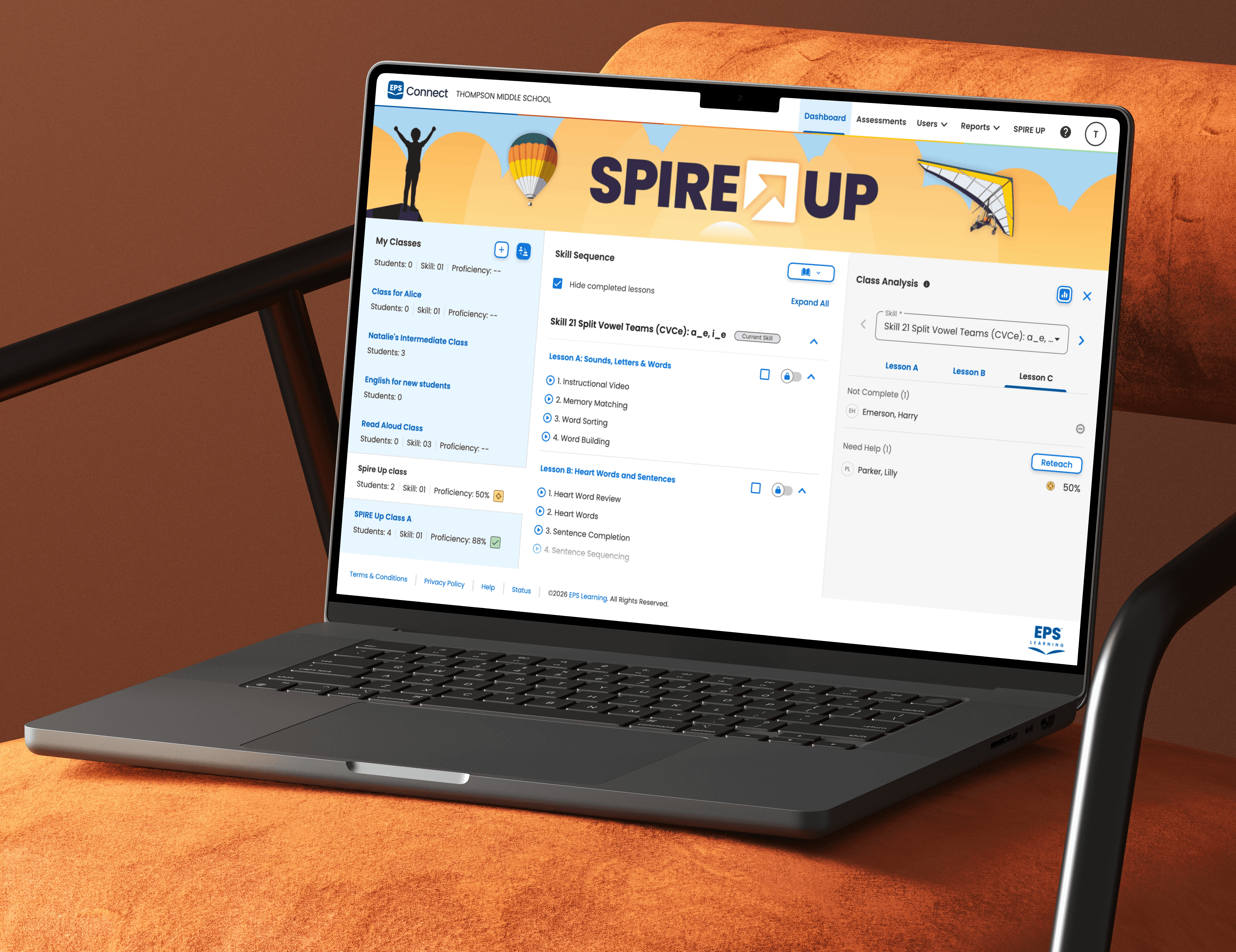
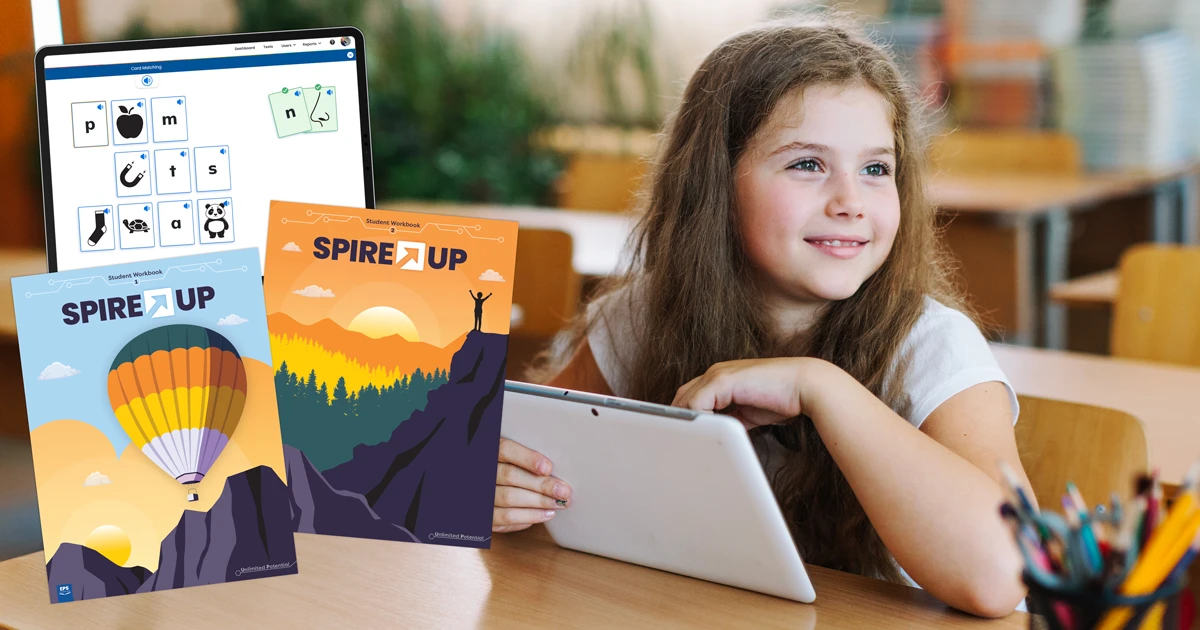
EPS wanted to bring SPIRE Up, a structured print literacy program rooted in the Science of Reading onto EPS Connect, their proprietary learning management system. The ask was simple: take a curriculum that teachers know and love from print, and make it work digitally, for both teachers and students.
SPIRE Up has 64 lessons spanning an extensive phonics skill sequence, an adaptive placement system, dual instructional modes (teacher-led and student self-paced), and a teacher experience that needed to support real-time observation, assignment, and reporting, all on a platform not originally built with this depth of literacy instruction in mind.
Episode 2: Understanding the Problem Space
Discovery: What does a structured literacy program actually need?
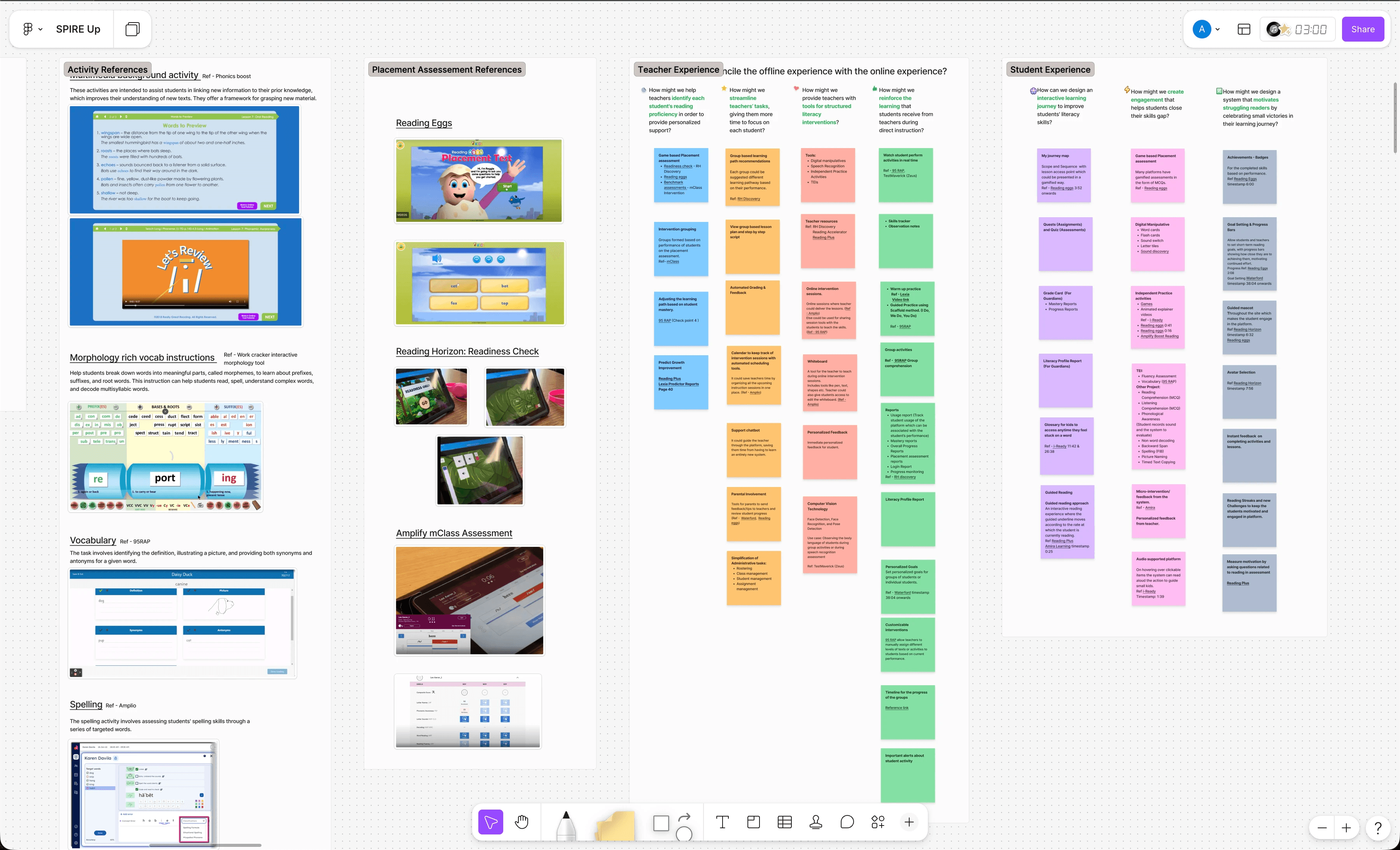
Before any wireframes, I spent significant time in discovery reviewing curriculum documentation, joining stakeholder calls, and mapping the gap between what EPS Connect could do and what SPIRE Up required.
Key discoveries:
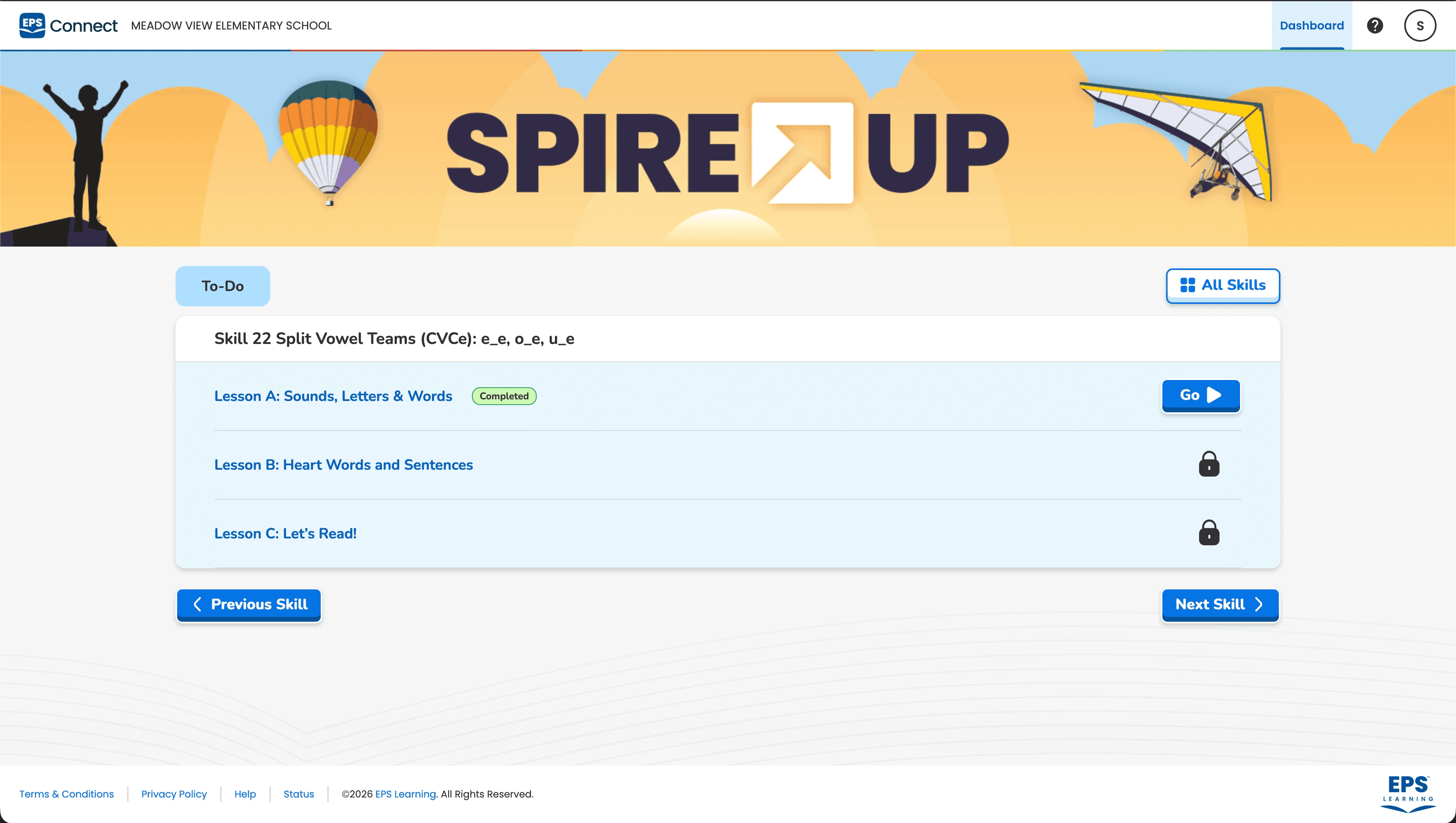
The platform used a Unit > Lesson > Topic hierarchy. SPIRE Up's instructional structure was richer: Lesson > Sub-Lesson (Intro + Reinforcing) > 10-Step Sub-lesson structure > Activities. Getting this to map cleanly without breaking EPS Connect's existing architecture was the first major constraint to solve.
Teachers needed to launch lessons, monitor student activity, and assign practice — all from a single dashboard. The existing platform reports were generic and not literacy-specific.
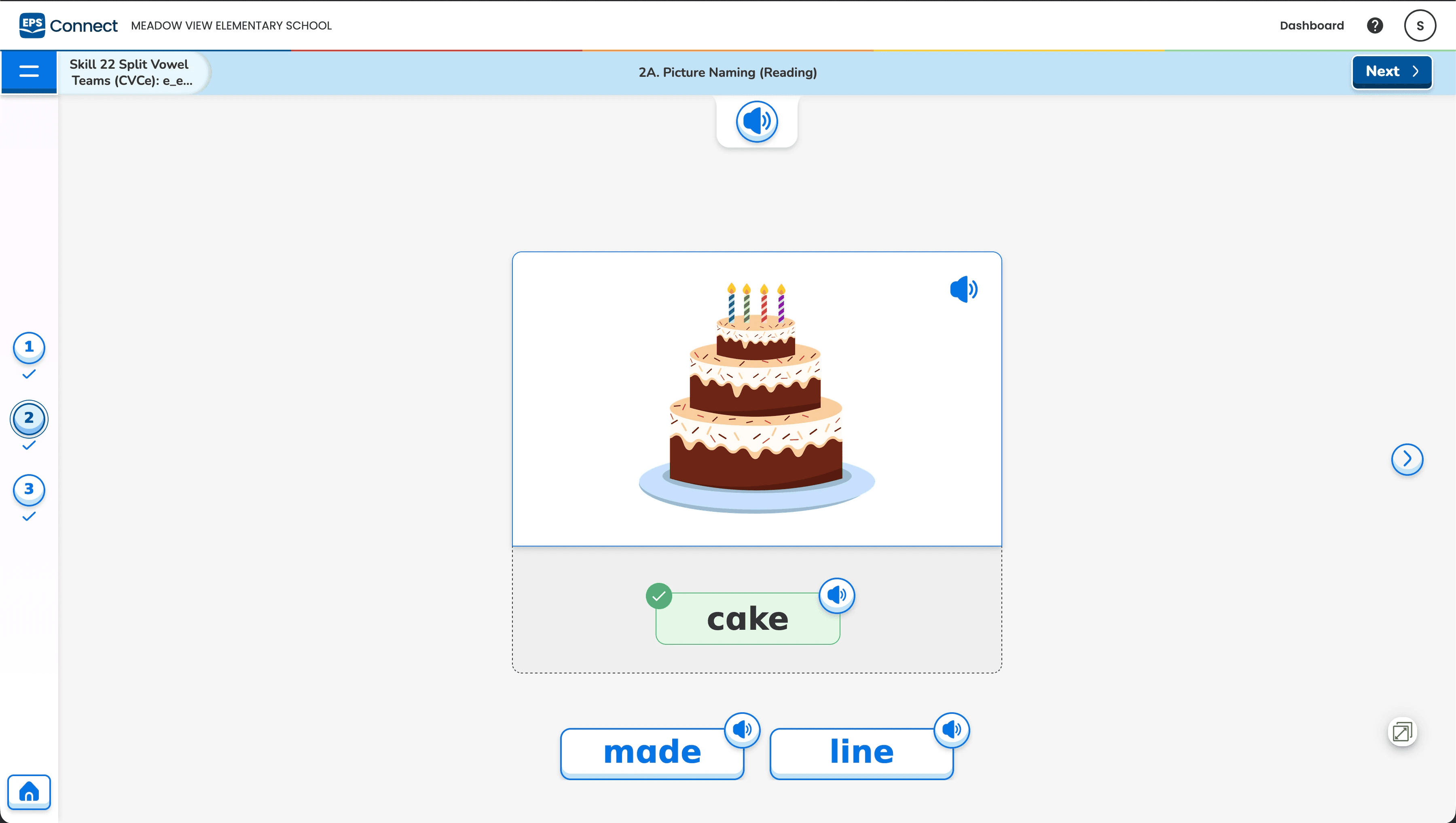
Students needed to work independently through digital activities that mirrored literacy instruction having not just multiple choice, but encoding (spelling), decoding (reading aloud), and phoneme-level manipulation.
The placement test which is a core entry point for every new student had to be adaptive, branching, and defensible to teachers and admins.
Episode 3: Defining the Architecture
One of the most consequential early decisions was how to structure content on the platform. EPS Connect supported three levels: Unit, Lesson, Topic. SPIRE Up needed more nesting.
After workshopping with the curriculum team and devs, we landed on a mapping:
SPIRE Up Concept | EPS Connect Equivalent |
|---|---|
Skill Group | Unit |
Lesson (Intro/Reinforcing) | Lesson |
Steps | Topic |
Activity (Heart Words, Word Sort, etc.) | Learning Object inside Topic |
This gave us the depth we needed while staying within platform constraints. It also meant that reinforcing lessons were visible but distinctly labeled. The teachers could see the recommended path and the optional reteach path without being overwhelmed.
Episode 4: The Adaptive Placement Test
Designing intelligence into a 20-question experience
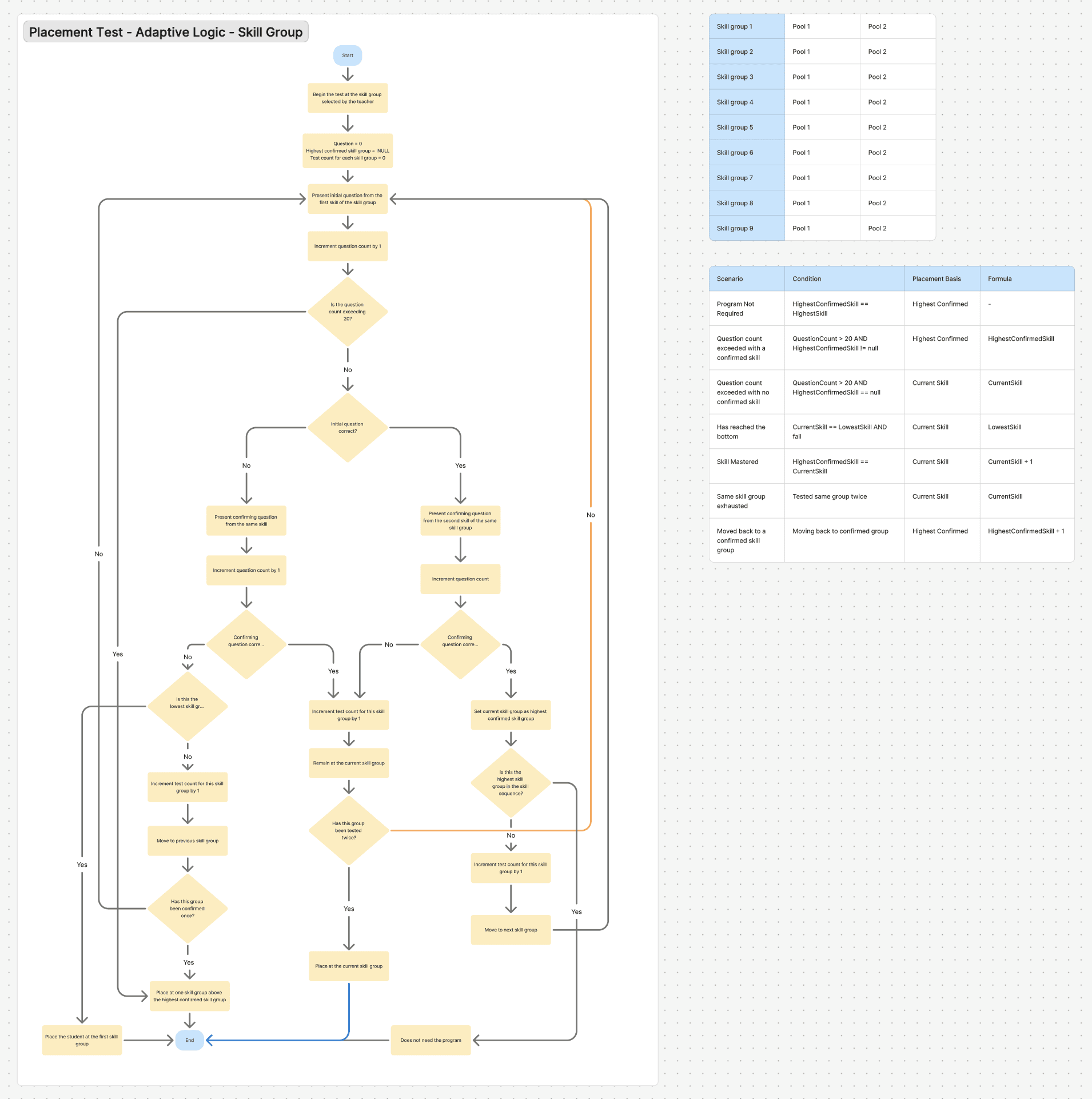
Every student entering SPIRE Up needed a starting point. In the print world, teachers administered this manually which was error-prone and time-consuming. The digital version needed to be smart enough to place a student accurately in under 20 questions, regardless of where they started.
I worked closely with the curriculum team to translate their verbal logic into a branching system.
How it works:
The test begins at the student's grade-level skill group
Each question pair consists of a primary word and a confirming word
Based on correct/incorrect responses, the student moves +1, -1, or -stays at the same position in the skill sequence
The test stops when the student's ceiling is confirmed, or after 20 questions maximum
The design challenge was making this invisible to the student, the test had to feel like a simple spelling activity. For teachers, the result showed: placement level, suggested student group, and an option to manually override. This manual override was an inclusion to defer the final decision to the teachers.
[SS of Student experience]
Episode 5: Designing the Activity Types
Designing intelligence into a 20-question experience
SPIRE Up's skill sequence demanded activity types that don't exist in generic LMS templates. I worked with the development team to define, spec, and validate custom questions.
Activities not yet built were shown as "Coming Soon" screens, a deliberate UX decision to give students and teachers a clear mental model of what the full experience would look like, rather than hiding unbuilt content.
Each activity also carried audio for instructions, feedback, and success states for early readers who may not read well enough to follow text-based directions.
Episode 6: The Teacher Experience
The teacher dashboard was designed around one north star: reduce the cognitive load of managing a literacy class while giving teachers the data they need to intervene.
Key teacher flows designed:
Skill Sequence Dashboard
The default landing view shows lessons in sequence, completion status, and quick-launch for both lesson delivery and activity insights. Teachers can toggle "Hide Completed Lessons" to keep their view focused.Lesson Delivery Mode
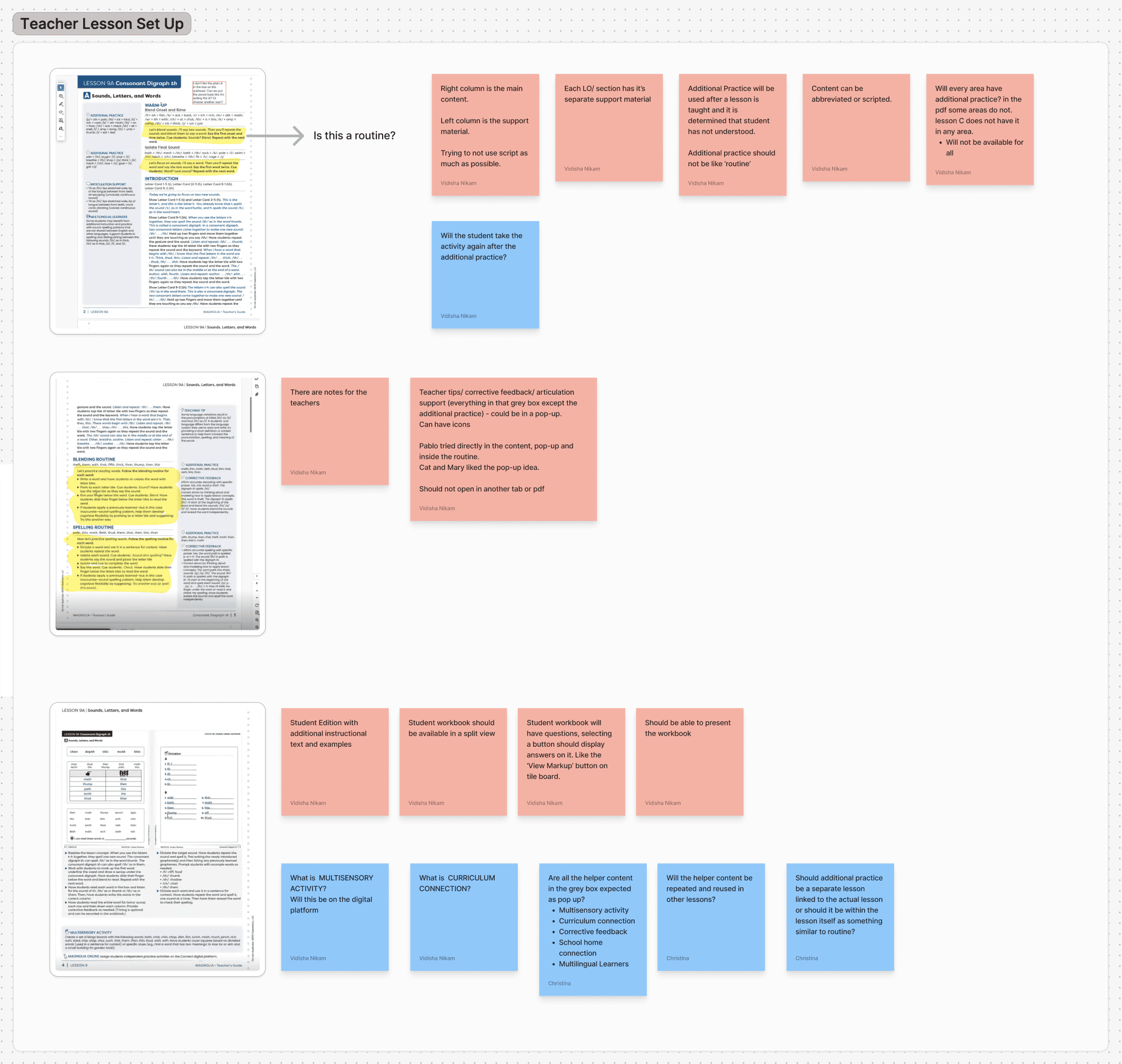
When a teacher launches a lesson, they enter the course player which defaults to a Step-by-Step Script view (what to say, what to do) with an option to switch to Additional Practice view. This dual-mode approach was designed based on the reality that new teachers need more scaffolding than experienced ones.Activity Insights
From the dashboard, teachers can launch an insights report for any lesson, filtered by class, lesson, and activity type. The report shows correct/total responses for every student, making it immediately actionable.Class Analysis Panel (Extra Practice / Re-assign)
This was one of the most complex UX challenges: designing the experience for a teacher who wants to assign additional practice or re-assign a lesson to a subset of students based on their scores.After exploring three approaches, we landed on an approach to show single entry point that opens an overlay, where the teacher chooses between "Extra Practice" and "Re-assign" as a step within the flow.
Episode 7: The Outcomes
Jan 2025 - First activity types live. Student progress saving operational.
Apr 7, 2025 - Martin County pilot launched. First external validation with real students and teachers with us incorporating feedback readily on the platform.
Jul 15, 2025 - Full product launch. 14 activity types shipped. All 64 lessons fully ingested across lesson plans, scripts, manipulatives, audio, and imagery.
Now - Sold to 4 school districts. 3,500 students and 100 teachers onboarding in August 2026
The infrastructure is now being reused as the foundation for SPIRE STAR and Reading Accelerator — the same platform serving the full SPIRE Literacy Suite.
Episode 8: My Learnings
Constraint is a design tool. Working within the bounds of an existing platform rather than building from scratch forced sharper decisions. Every hierarchy choice, every interaction pattern, every label had to justify why it was worth the engineering cost to deviate from defaults.
Literacy instruction is deeply expert. I came in as a generalist UX designer and left with a working knowledge of structured literacy theory, phoneme-grapheme relations, ORF benchmarking, and Science of Reading pedagogy. The best design decisions came from sitting with the curriculum team long enough to understand why the sequence is the way it is.
The teacher is the product's most important user. Students experience the product for 10–15 minutes a day. Teachers live in it. Everything on the dashboard is an act of respect or disrespect for their time. This shaped every decision about information hierarchy, report design, and the complexity we were willing to put in the UI versus the documentation.
Adaptive logic is a UX problem before it's an engineering problem. The placement test required me to define the algorithm before engineering could build it. Writing the branching logic table, validating it with example student paths, and pressure-testing edge cases - all of that was design work.